 العربية



هاتف : +86 13729892225
البريد الإلكتروني : export@dtechelectronics.com
البريد الإلكتروني : hermadi57@gmail.com(Indonesia Local Zone)
البريد الإلكتروني : 2938155912@qq.com(Amazon After-Sales Service Zone)









هاتف : +86 13729892225
البريد الإلكتروني : export@dtechelectronics.com
البريد الإلكتروني : hermadi57@gmail.com(Indonesia Local Zone)
البريد الإلكتروني : 2938155912@qq.com(Amazon After-Sales Service Zone)
فئات المدونة
المشاركات الاخيرة
ما هو طول ومدى قدرة كابل HDMI على نقل الإشارة دون فقدانها؟
ما هو أقصى طول ومدى يمكن لكابل HDMI نقل الإشارة دون فقدانها؟ دليل شامل لنقل بيانات 4K/8K بثبات
إذا كنت تقوم بإعداد مسرح منزلي، أو تهيئة شاشة كبيرة في غرفة اجتماعات، أو ترغب في توصيل جهاز الكمبيوتر الخاص بك بجهاز عرض في غرفة المعيشة، فربما تكون قد واجهت هذا السؤال: ما هي المدة التي يمكن أن يعمل فيها جهاز عرض؟ HDMI هل يمكن نقل الإشارة باستمرار دون انقطاع الاتصال؟ ما هو طول الكابل الأمثل لتشغيل فيديو بدقة 4K/8K بثبات؟
ينظر الكثير من الناس إلى السعر فقط عند شراء الكابلات، ليكتشفوا لاحقًا أنهم يعانون من وميض الشاشة أو انقطاعها، مما يؤدي إلى... 8K غير قابل للاستخدام. سنشرح اليوم المشكلات الأساسية لنقل البيانات عبر HDMI بأسلوب مبسط، متناولين مدة النقل المتواصل، والمسافة القصوى، واختيار الكابل المناسب، ونصائح لتجنب الأخطاء الشائعة. بعد القراءة، يمكنك ببساطة شراء الكابلات التي تحتاجها.
一 、 ما هي المدة التي يمكن أن تستمر فيها إشارة HDMI في الإرسال بشكل متواصل؟ وهل ستضعف فعلاً بمرور الوقت؟
الخلاصة هي: طالما أن الكابل ذو جودة جيدة والمسافة ضمن النطاق المقبول، يمكن نقل إشارة HDMI بشكل مستمر 24 ساعة في اليوم، 365 يومًا في السنة، ولا يوجد تقريبًا أي فقدان للإشارة بسبب الاستخدام المطول.
لماذا؟ لأن تقنية HDMI تستخدم إشارات رقمية، تُنقل عبر نبضات عالية السرعة من الأصفار والآحاد، على عكس الإشارات التناظرية. تضعف الإشارات التناظرية بمرور الوقت والمسافة، بينما لا توجد للإشارات الرقمية سوى حالتين: "تشغيل" و"إيقاف". إذا كانت الإشارة مطابقة للمعايير، فهي مستقرة؛ وإذا لم تكن كذلك، فإنها تؤدي إلى شاشة سوداء أو وميض، دون تدهور تدريجي.
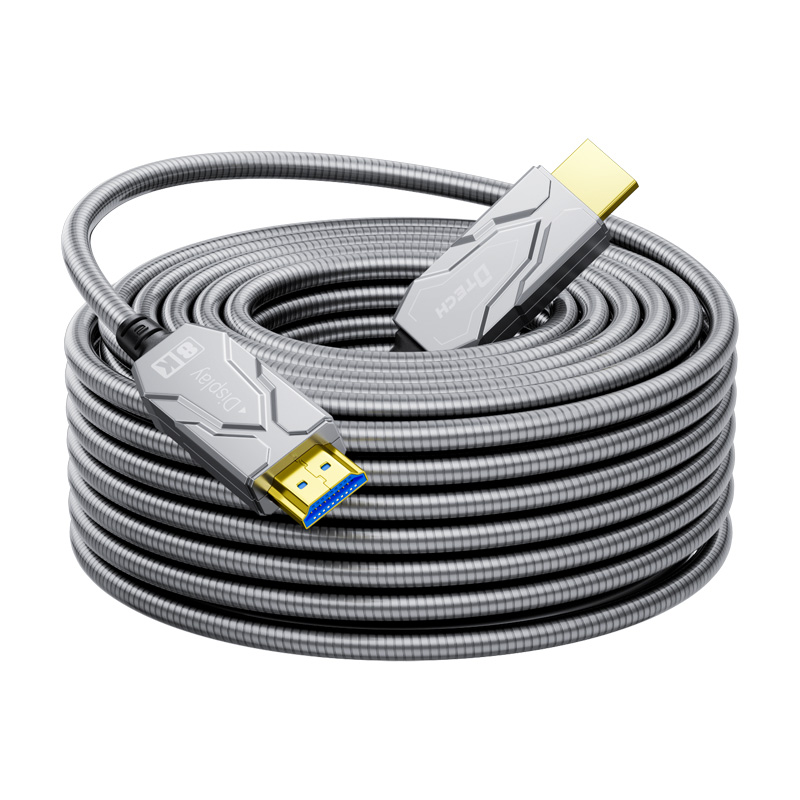
بالنسبة لأجهزة التلفاز وأجهزة العرض والشاشات العادية، طالما أن الكابلات سليمة والوصلات محكمة، والتأثيرات البيئية ضئيلة، يمكنها العمل بشكل متواصل لأشهر أو حتى سنوات دون مشاكل. جهاز العرض الخاص بي في غرفة المعيشة موصول عبر كابل HDMI من الألياف الضوئية ، تعمل لمدة 8 ساعات يومياً منذ ما يقرب من عامين دون أن تفقد الإشارة أبداً.
ما هي العوامل التي يمكن أن تسبب عدم استقرار الإشارة؟
ليس الوقت هو المهم، ولكن هذه النقاط الأربع هي الأهم:
1. المسافة المفرطة: كابلات نحاسية المسافات التي تتجاوز 10 أمتار معرضة لانخفاض معدل الإطارات عند دقة 4K بمعدل 60 هرتز؛
2. دقة عالية / معدل تحديث عالٍ: دقة 8K و 4K@120Hz تضاعف متطلبات عرض النطاق الترددي؛
3. التداخل الكهرومغناطيسي القوي: الكابلات المجمعة مع أسلاك الطاقة أو أجهزة التوجيه أو الأجهزة عالية الطاقة؛
4. رداءة جودة الكابلات/الموصلات: كابلات رخيصة ومنخفضة الجودة، وموصلات مؤكسدة أو غير محكمة، ومحولات رديئة الجودة.
باختصار: اختر الكابل المناسب، وتحكم في المسافة، وتجنب التداخل لضمان إشارة HDMI مستقرة.
ثالثا 、 ما هو أقصى طول يمكن تمديد كابل HDMI بدقة 4K/8K؟ اختبارات فعلية لحدود الكابلات المختلفة
أهم عاملين عند اختيار كابل هو المسافة ودقة الصورة؛ فلا تشترِ دون دراسة! فيما يلي قائمة بنطاقات المسافة الموثوقة بناءً على اختبارات فعلية. يرجى الرجوع إلى ما يلي:
1. كابل نحاسي قياسي (HDMI 1.4)
• دقة 4K بمعدل 60 هرتز: يُنصح بمسافة لا تتجاوز 5 أمتار، وبحد أقصى 7 أمتار
• 8K: غير مدعوم على الإطلاق
• مناسب لـ: أجهزة التلفزيون في غرف النوم، وشاشات سطح المكتب، والعمل المكتبي عن بُعد
2. كابل نحاسي ممتاز (HDMI 2.0)
• دقة 4K بمعدل 60 هرتز: يُنصح بمسافة لا تتجاوز 10 أمتار، وبحد أقصى 15 مترًا
• دقة 8K بمعدل 60 هرتز: يُنصح بمسافة لا تتجاوز 5 أمتار، وبحد أقصى 8 أمتار
• مناسب لـ: أجهزة العرض في غرف المعيشة، والمسارح المنزلية ذات المسافات القصيرة إلى المتوسطة
3. كابل نحاسي نشط/عالي المواصفات (HDMI 2.1)
• دقة 4K بمعدل 60 هرتز: يُنصح بمدى لا يتجاوز 25 مترًا، وبحد أقصى 30 مترًا
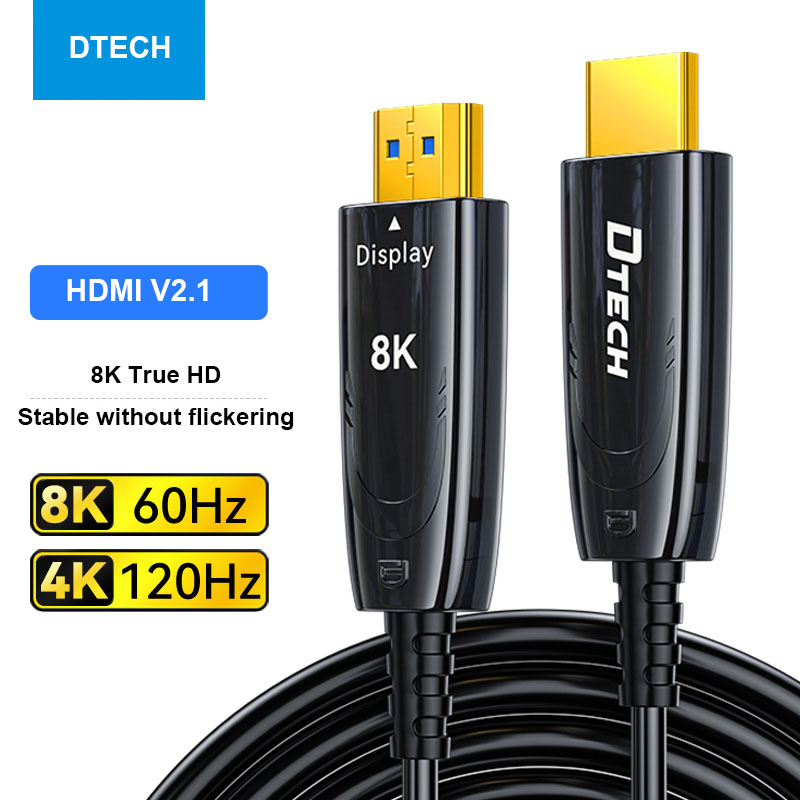
• دقة 8K بمعدل 60 هرتز: يُنصح بمسافة لا تتجاوز 10 أمتار، وبحد أقصى 12 مترًا
• الميزات: شريحة تضخيم إشارة مدمجة، مقاومة قوية للتداخل
• مناسب لـ: دور السينما المنزلية بعيدة المدى، وأجهزة ألعاب الفيديو (4K@120Hz)
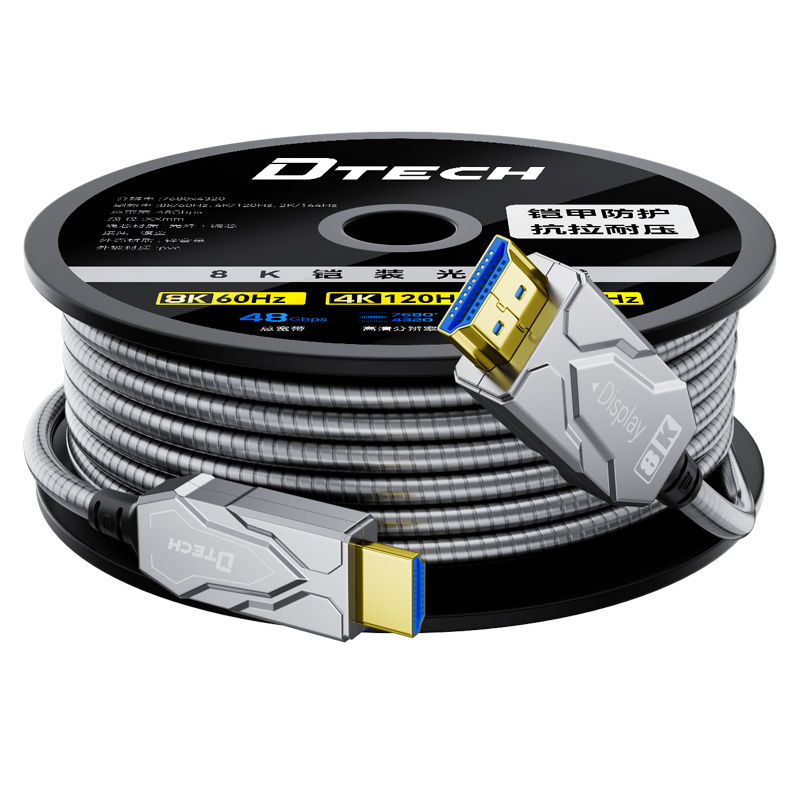
4. كابل ألياف بصرية، كابل HDMI (يفضل الاتصال عن بعد)
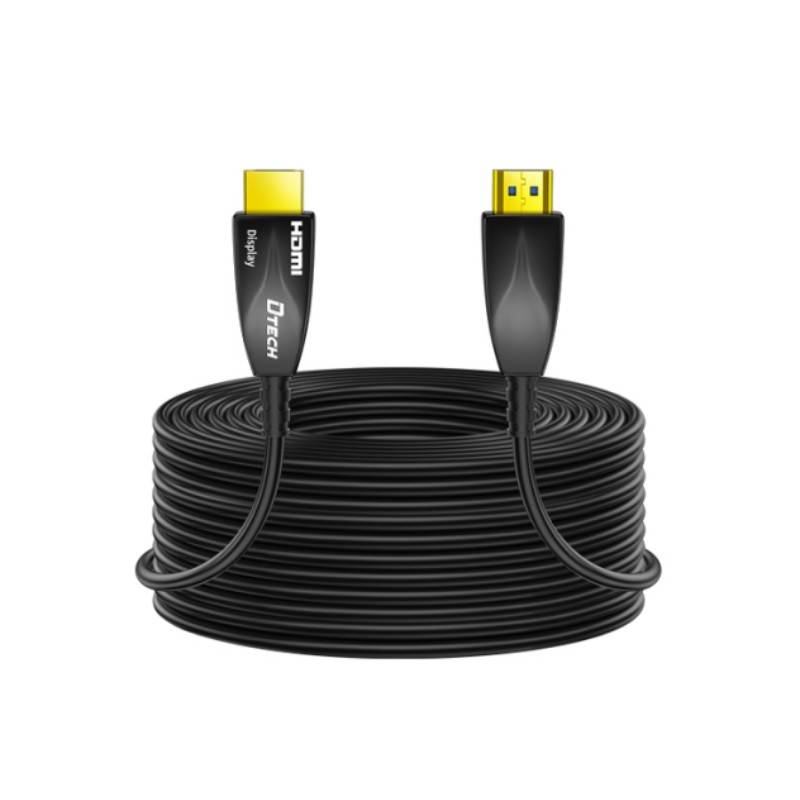
• دقة 4K/8K بمعدل 60 هرتز: يُنصح باستخدامها على مسافة لا تتجاوز 50 مترًا، وبحد أقصى 100 متر أو أكثر
• المزايا: مناعة كاملة ضد التداخل الكهرومغناطيسي، عرض نطاق ترددي كامل
• مناسب لـ: قاعات المؤتمرات، المسارح، المسارح المنزلية في الفيلات، العرض عن بعد لمسافات طويلة جدًا
باختصار: بالنسبة للمسافات التي تقل عن 5 أمتار، أي كابل نحاسي سيفي بالغرض؛ بالنسبة للمسافات من 10 إلى 20 مترًا، اختر كابل HDMI 2.1 نحاسي؛ بالنسبة للمسافات التي تزيد عن 20 مترًا أو بدقة 8K، استخدم كابل الألياف الضوئية.
三 、 تجنب الأخطاء عند اختيار كابلات HDMI! اختر الكابل المناسب لاحتياجاتك لتجنب إهدار المال.
ينخدع الكثيرون بـ"الكابلات باهظة الثمن"، لكن السعر المرتفع لا يعني بالضرورة الجودة؛ فالكابل المناسب هو الأكثر موثوقية. اختر الكابل المناسب لاحتياجاتك مباشرةً.
السيناريو 1: مسافة قصيرة (أقل من 5 أمتار) - للمستخدمين العاديين
يكفي كابل HDMI 1.4 النحاسي القياسي لتوصيل التلفزيون بجهاز الاستقبال الرقمي أو الكمبيوتر بالشاشة، ولا يتجاوز سعره عشرة يوانات. لا داعي لشراء كابل باهظ الثمن.
السيناريو الثاني: مسافة متوسطة إلى طويلة (5-20 مترًا) - المسرح المنزلي / جهاز العرض العام
أعطِ الأولوية لكابلات HDMI 2.0 أو HDMI 2.1 النحاسية عالية الجودة. ابحث عن علامات 18 جيجابت في الثانية (4K) أو 48 جيجابت في الثانية (8K / معدل تحديث عالٍ) على العبوة. نقل بيانات 4K بمعدل 60 هرتز ثابت ليس مشكلة؛ أما لدقة 8K، فاختر كابل HDMI 2.1.
السيناريو 3: مسافة طويلة جدًا (>20 مترًا) – قاعة اجتماعات / فيلا / جهاز عرض
كابل HDMI المصنوع من الألياف الضوئية ضروري! عادةً ما تعاني كابلات النحاس التي يزيد طولها عن 20 مترًا من وميض الشاشة، بينما تكون كابلات الألياف الضوئية مستقرة حتى عند 50 أو 100 متر، مما يوفر قدرات قوية لمقاومة التداخل وحلاً خاليًا من المتاعب.
السيناريو الرابع: الألعاب ذات معدل التحديث العالي (4K@120Hz/8K@60Hz) – أجهزة الألعاب/شاشات الرياضات الإلكترونية
يلزم استخدام كابل HDMI 2.1 نحاسي أو من الألياف الضوئية، مع عرض نطاق ترددي 48 جيجابت في الثانية ضروري للتعامل مع إشارات معدل التحديث العالي وتجنب تمزق الشاشة وزمن الاستجابة العالي.
نصائح لتجنب الأخطاء الشائعة:
• تجنب شراء كابلات "ثلاثية لاسلكية" غير معروفة العلامة التجارية، لأن الموصلات عرضة للأكسدة؛
• لا تقم بتجميع الكابلات مع أسلاك الطاقة أو كابلات الشبكة، واحرص على إبعادها عن أجهزة التوجيه ومنافذ الطاقة؛
• تأكد من توصيل الموصلات بإحكام وامسح الغبار بانتظام لمنع ارتخائها وضعف الاتصال.
四 、 إجابات على الأسئلة الشائعة دفعة واحدة (كتاب لا غنى عنه للمبتدئين)
س1: هل هي أغلى ثمناً؟ كابلات HDMI هل هو أفضل دائماً؟
لا! بالنسبة لأجهزة التلفاز بدقة 4K ضمن نطاق 10 أمتار، لا يوجد فرق في تجربة المشاهدة الفعلية بين كابل نحاسي عالي الجودة سعره 50 يوانًا صينيًا وكابل سعره 500 يوان صيني. غالبًا ما تحمل الكابلات باهظة الثمن علامات تجارية مميزة وموصلات مطلية بالذهب، وهي أمور غير ضرورية للمستخدمين العاديين.
س2: هل يمكنني استخدام كابل HDMI عادي مع تلفزيون بدقة 8K؟
لا! الكابلات العادية لا توفر عرض نطاق ترددي كافٍ. ستظهر صور 8K بشاشات سوداء، أو وميض، أو تشويش. يجب عليك استخدام كابل HDMI 2.1 أو كابل ألياف بصرية.
س3: ماذا يحدث إذا تجاوز طول الكابل الطول الموصى به؟
سيؤدي ذلك مباشرةً إلى وميض الشاشة، وظهور شاشات سوداء، وانقطاعات متقطعة في الإشارة. ولن يتدهور الأداء تدريجياً. الحلول: استبدال الكابل بكابل ألياف بصرية، أو إضافة مُضخِّم إشارة، أو خفض الدقة (مثلاً، خفض دقة 4K إلى 1080p).
س4: هل تتطلب أجهزة التلفزيون ذات معدل التحديث العالي كابلات خاصة؟
نعم! تتطلب دقة 4K بمعدل 120 هرتز ودقة 8K بمعدل 60 هرتز كابلات HDMI 2.1 أو كابلات الألياف الضوئية. لا تستطيع الكابلات العادية التعامل مع النطاق الترددي العالي، مما يؤدي إلى فقدان الإطارات وزيادة زمن الاستجابة.
五 、 خاتمة
لا تتأثر إشارات HDMI بفترات الإرسال الطويلة، لكنها تتأثر سلبًا بجودة الكابلات الرديئة، والمسافات الطويلة، والتداخل الكبير. تذكر هذه النقاط الثلاث عند اختيار الكابلات:
1. استخدم كابلات نحاسية للمسافات القصيرة وكابلات الألياف الضوئية للمسافات الطويلة؛
2. تتطلب دقة 4K سرعة 18 جيجابت في الثانية، بينما تتطلب دقة 8K/معدل تحديث عالي سرعة 48 جيجابت في الثانية؛
3. لا تشتري كابلات رخيصة ومنخفضة الجودة، ولا تنخدع بالكابلات باهظة الثمن.
باختيار الكابلات وفقًا لهذه المعايير، يمكنك نقل البيانات بثبات 4K/8K إشارات للمسارح المنزلية، وشاشات المكاتب الكبيرة، أو أجهزة ألعاب الفيديو، مما يقضي على مشاكل الوميض والشاشة السوداء.
© حقوق النشر: 2026 Guangzhou Dtech Electronics Technology Co.,Ltd. كل الحقوق محفوظة.

